
Center for Teaching and Learning
Faculty Respondus LockDown Browser and Monitor

The Respondus LockDown Browser is a custom browser designed specifically to secure the online testing environment within our Learning Management System. When students use this browser, they are restricted from accessing other applications, websites, or resources, ensuring a focused and fair testing experience. In addition to the LockDown Browser, Respondus Monitor uses a webcam and advanced analytics to further prevent cheating during online exams. This feature records students while they complete their assessments, providing an additional layer of security and accountability.
This resource center provides information such as an overview video, exam preparation guidance, training webinars, getting-started documentation, resources for students, and system requirements for the LockDown Browser.
Open the LockDown Browser Resources to learn more.
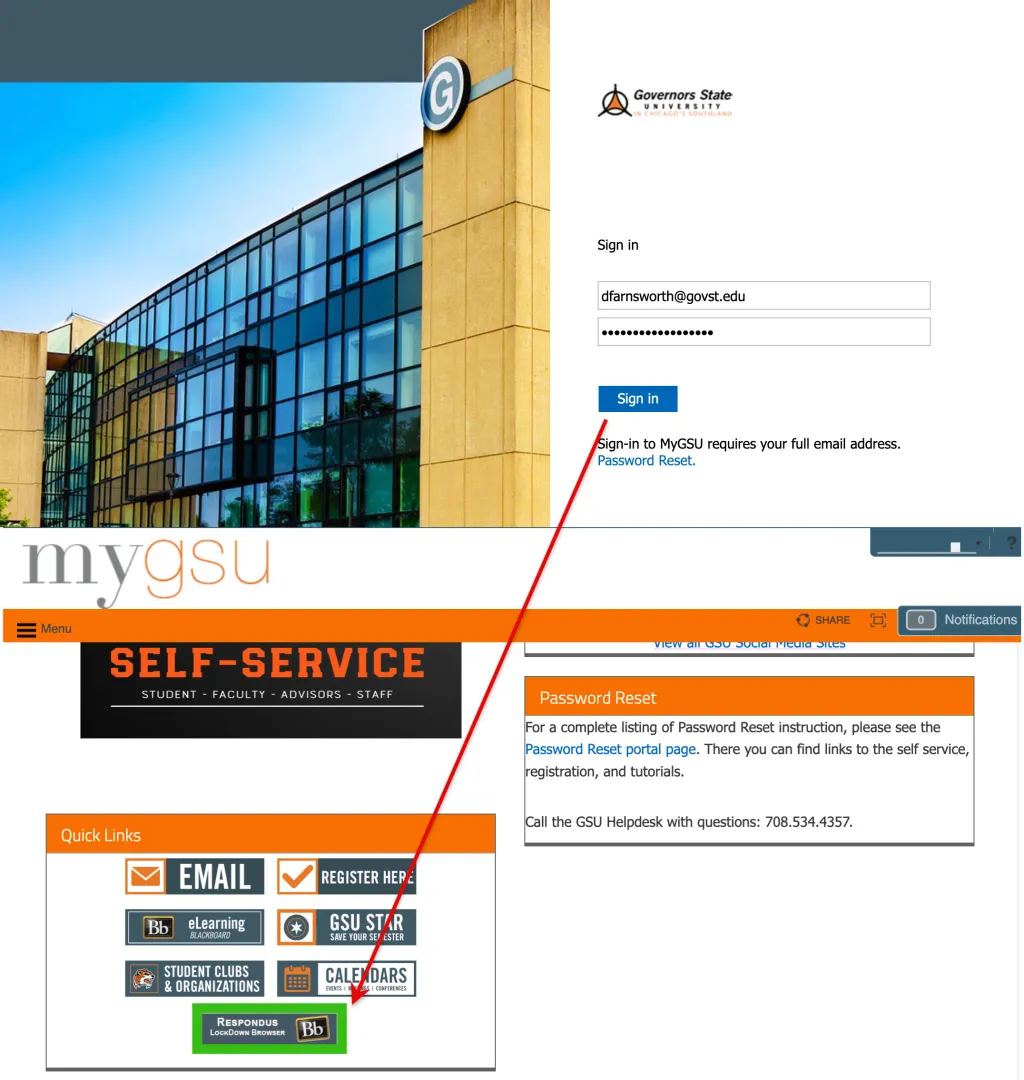
Students may download the Respondus LockDown Browser from the GSU portal. They should log in and proceed to the LockDown Browser button above the Quick Links section to download and install the LockDown Browser. Faculty do not need to download the LockDown Browser, as all of their work is completed in the Respondus LockDown Browser dashboard, which is available as a tool within the Blackboard Learn course.
This resource center provides information such as training webinars, getting-started videos and documentation, resources for students, and system requirements for Respondus Monitor.
Open the Respondus Monitor Resources to learn more.
To allow an external link, instructors must configure the Advanced Settings section of the Respondus LockDown Browser test. Instructors must also include the URL for the permitted domain in the quiz question. Without this link, students will not be able to access that domain.
Open the Allow Access to Specific External Web Domains to learn more.
There are many ways to take advantage of the new screen recording feature in Respondus Monitor, which is now available for Chromebook users and through publisher integrations (e.g., Pearson MyLab, ALEKS by McGraw-Hill).
Open the Screen Recording for Respondus Monitor to learn more.
LockDown Browser is a client application installed on a user’s computing device. It is based on the Chromium Embedded Framework (CEF) and renders content nearly identically to other browsers that use CEF (e.g., Chrome and Edge).
Respondus Monitor is a web application that builds upon LockDown Browser technology. When an exam requires the use of both LockDown Browser and Respondus Monitor, examinees go through a “startup sequence” that guides them through a webcam check and other instructor-required steps.
From an end-user standpoint—and therefore from an accessibility standpoint—the technology underlying LockDown Browser and Respondus Monitor is essentially the same.
Open the Accessibility with LockDown Browser web tutorial to learn more.
Contact Us
- Center for Teaching and Learning
- Governors State University - C Building
- 708-534-4115
- blackboard@govst.edu